



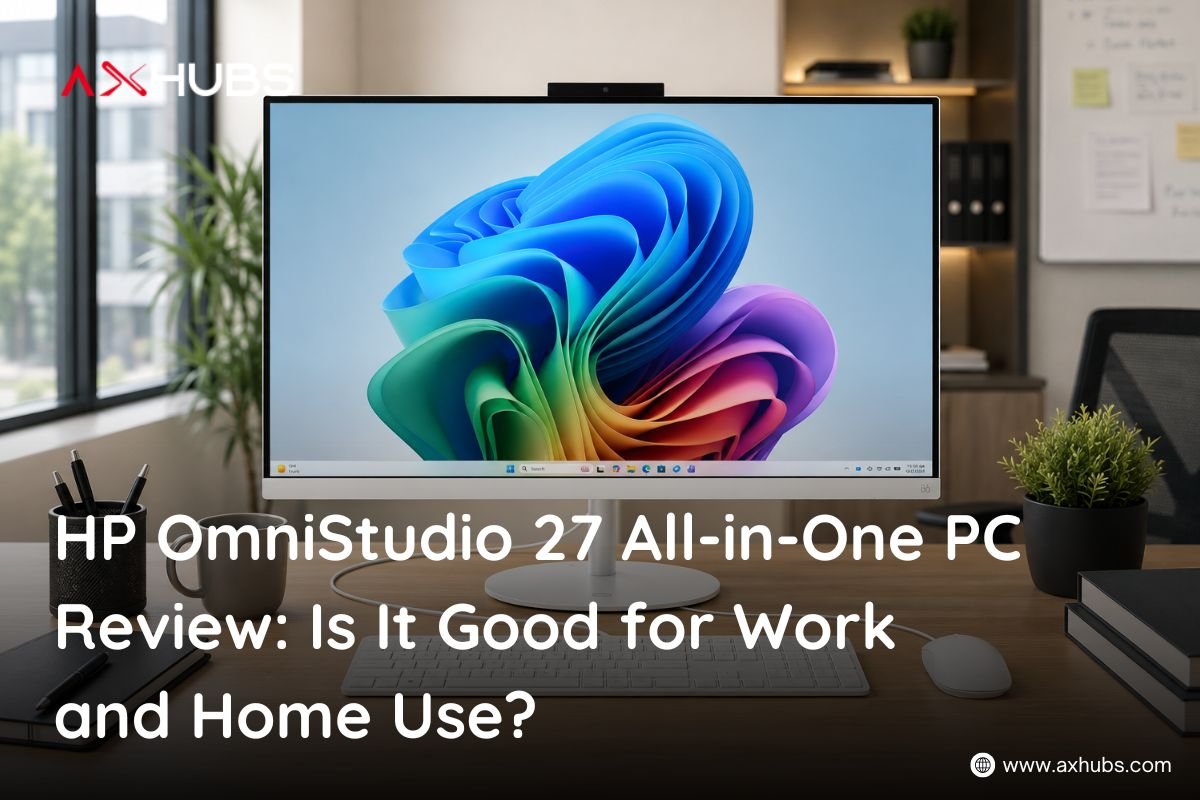
HP OmniStudio 27 All-in-One PC Review: Is It Good for Work and Home Use?
The HP OmniStudio 27 All-in-One PC combines a large 27-inch Full HD IPS display, Intel Core 5 120U processor, 16GB DDR5 RAM, and a 512GB SSD in a clean all-in-one design. It is aimed at users who want a practical desktop setup without dealing with a separate computer tower, monitor, keyboard, and mouse.
Priced at AED 3,279, the HP OmniStudio 27 offers a balanced configuration for everyday office work, browsing, productivity, entertainment, and general home use.
But is it actually a good choice for work and home users? Let’s look at its specifications, expected performance, display, storage, and overall value.
HP OmniStudio 27 Specifications at a Glance:
Before getting into the detailed review, here is a quick look at the main specifications of the HP OmniStudio 27:
| Specification | Details |
| Product | HP OmniStudio AiO 27 PC |
| Processor | Intel Core 5 120U |
| Processor Speed | Up to 5.0 GHz |
| RAM | 16GB DDR5 |
| Storage | 512GB SSD |
| Graphics | Intel Integrated Graphics |
| Display | 27-inch FHD IPS |
| Touchscreen | No |
| Keyboard & Mouse | Wired Keyboard & Mouse |
| Color | White |
| Operating System | DOS |
| Price | AED 3,279 |
What Processor Does the HP OmniStudio 27 Use?
The HP OmniStudio 27 comes with an Intel Core 5 120U processor with speeds of up to 5.0 GHz. This gives the system enough processing capability for common productivity and everyday computing tasks.
For office users, the processor is suitable for activities such as working with documents and spreadsheets, browsing the web, handling emails, attending online meetings, and using everyday business applications.
The processor is paired with 16GB of DDR5 RAM, which is particularly useful when working with several applications and browser tabs at the same time.
Is 16GB DDR5 RAM Enough for Everyday Work?
Yes, 16GB RAM is a strong starting point for an everyday work computer in 2026.
The HP OmniStudio 27 can comfortably target users who regularly multitask between applications such as Microsoft Office, web browsers, email platforms, communication tools, and other standard productivity software.
DDR5 memory also provides a modern memory platform for the system, making the configuration more suitable for current desktop workloads than an entry-level setup with limited RAM.
For businesses, this combination makes the OmniStudio 27 a practical option for employees who need a reliable computer for standard office tasks.
How Much Storage Does the HP OmniStudio 27 Have?
The HP OmniStudio 27 includes a 512GB SSD.
An SSD provides fast access to files and applications while also helping the system feel more responsive during everyday use. The 512GB capacity provides enough space for documents, spreadsheets, presentations, photos, applications, and other commonly used files.
For users who mainly work with office documents and cloud storage, 512GB can be a practical amount of local storage.
Users who regularly store large video projects, extensive media libraries, or other large files may eventually need additional storage.
How Good Is the 27-Inch FHD IPS Display?
One of the biggest advantages of the HP OmniStudio 27 is its 27-inch Full HD IPS display.
The larger screen provides considerably more workspace than smaller desktop monitors, making it useful for productivity tasks where having multiple windows open is important.
The IPS panel is also well suited to everyday viewing, making the computer useful for office work, browsing, watching videos, and general home entertainment.
However, the display is non-touch, so users looking specifically for touchscreen interaction should consider a different configuration.
Is the HP OmniStudio 27 Good for Office Work?
The HP OmniStudio 27 is a good fit for standard office workloads because its configuration combines a capable Intel Core 5 processor with 16GB DDR5 RAM and a 512GB SSD.
It can be considered for tasks such as:
- Microsoft Word and Excel
- PowerPoint presentations
- Email and web browsing
- Online meetings
- Business applications
- Document management
- Research and web-based work
- General multitasking
The 27-inch screen can also make everyday office work more comfortable by providing plenty of screen space for documents, spreadsheets, and browser windows.
Is the HP OmniStudio 27 Good for Home Use?
For home users, the HP OmniStudio 27 offers an all-in-one setup that keeps the desktop area relatively simple.
The system can handle everyday activities such as browsing the internet, watching videos, managing personal documents, using productivity applications, and general computing.
The included wired keyboard and mouse also mean the basic desktop setup is already covered.
Its white finish gives it a clean appearance that can work well in a home office, study area, or shared workspace.
Can You Use the HP OmniStudio 27 for Multitasking?
The combination of an Intel Core 5 120U processor and 16GB DDR5 RAM makes multitasking one of the more practical use cases for this configuration.
For example, a user could work on a spreadsheet while keeping multiple browser tabs, email, and communication applications open.
The 27-inch display adds another advantage because there is more physical screen space available for arranging multiple windows.
For typical productivity multitasking, the hardware configuration provides a sensible balance between performance and everyday usability.
Is the HP OmniStudio 27 Good for Gaming?
The HP OmniStudio 27 is primarily positioned as an everyday productivity and home-use all-in-one PC, rather than a dedicated gaming computer.
It uses Intel integrated graphics, so it is not the ideal choice for demanding modern AAA gaming or graphics-intensive workloads.
Users looking for a desktop specifically for high-end gaming, 3D rendering, or professional GPU-intensive applications should consider a system with a dedicated graphics card.
For casual computing and lighter graphical tasks, however, the integrated graphics are appropriate for the intended everyday use of this PC.
What Are the Main Advantages of the HP OmniStudio 27?
The HP OmniStudio 27 has several features that make it attractive for office and home users.
27-inch Full HD IPS display:
The large IPS screen provides plenty of space for productivity, browsing, documents, and entertainment.
Intel Core 5 120U processor:
With speeds of up to 5.0 GHz, the processor provides a suitable foundation for everyday productivity and multitasking.
16GB DDR5 RAM:
The 16GB memory configuration is well suited to users who regularly keep several applications and browser tabs open.
512GB SSD:
The SSD provides responsive storage for applications and everyday files while offering 512GB of capacity.
All-in-one design:
The computer combines the main PC hardware and display into one unit, helping keep the workspace cleaner than a traditional desktop setup.
Keyboard and mouse included:
The included wired keyboard and mouse provide the basic accessories needed to get started with the system.
What Are the Limitations of the HP OmniStudio 27?
No computer is perfect for every type of user, and there are a few things to consider before purchasing the OmniStudio 27.
The FHD display is non-touch, so it may not be suitable for users who specifically want touchscreen functionality.
The system also relies on Intel integrated graphics, making it less suitable for demanding gaming and professional GPU-heavy applications.
Another important point is that the listed configuration comes with DOS rather than Windows. Buyers who require Windows for their workplace should factor the operating system requirement into their purchase decision.
Who Should Buy the HP OmniStudio 27?
The HP OmniStudio 27 is a strong option for users looking for a large-screen desktop for everyday productivity.
It can be considered by:
- Office professionals
- Small businesses
- Students
- Home users
- Reception desks
- Administrative teams
- Remote workers
- Users who prefer an all-in-one desktop setup
Its combination of a 27-inch display, 16GB RAM, 512GB SSD, and Intel Core 5 processor makes it particularly suitable for general productivity rather than specialized high-performance workloads.
Who Should Consider a Different PC?
The HP OmniStudio 27 may not be the best choice if your primary requirement is demanding gaming, professional 3D rendering, advanced video production, or other workloads that rely heavily on dedicated graphics performance.
Similarly, users who specifically require a touchscreen or want Windows pre-installed should look at configurations that offer those features.
HP OmniStudio 27 Price in UAE
The HP OmniStudio 27 All-in-One PC is priced at AED 3,279.
At this price, you get an all-in-one desktop configuration featuring an Intel Core 5 120U processor, 16GB DDR5 RAM, 512GB SSD, 27-inch FHD IPS non-touch display, and a wired keyboard and mouse.
If you’re looking for an all-in-one computer for everyday office and home use, this configuration offers a practical combination of screen size, memory, storage, and processing performance.
Where Can You Buy the HP OmniStudio 27 in UAE?
You can buy the HP OmniStudio 27 All-in-One PC from AXHUBS UAE at an amazing price of AED 3,279.
AXHUBS offers a range of business laptops, desktops, workstations, and all-in-one PCs in the UAE, making it a convenient option for customers looking for HP business and productivity systems.
Buy the HP OmniStudio 27 from AXHUBS UAE and get this powerful all-in-one setup at an amazing price of AED 3,279.
HP OmniStudio 27 Review: Final Verdict
So, is the HP OmniStudio 27 good for work and home use?
For its intended audience, yes. The combination of an Intel Core 5 120U processor, 16GB DDR5 RAM, 512GB SSD, and a large 27-inch FHD IPS display makes it a well-balanced option for everyday productivity.
The all-in-one form factor also keeps the setup simple, while the included keyboard and mouse mean users have the essential peripherals included.
It is not aimed at users who need high-end dedicated graphics performance, but for office work, home computing, browsing, multitasking, documents, and everyday productivity, the HP OmniStudio 27 offers a practical desktop solution at AED 3,279.
Frequently Asked Questions
Is the HP OmniStudio 27 good for office work?
Yes. Its Intel Core 5 120U processor, 16GB DDR5 RAM, 512GB SSD, and 27-inch FHD IPS display make it suitable for common office tasks such as documents, spreadsheets, email, browsing, presentations, and multitasking.
Does the HP OmniStudio 27 have a touchscreen?
No. The listed configuration features a 27-inch FHD IPS non-touch display.
How much RAM does the HP OmniStudio 27 have?
The HP OmniStudio 27 comes with 16GB DDR5 RAM, which is suitable for everyday productivity and multitasking.
Does the HP OmniStudio 27 come with Windows?
The listed configuration comes with DOS, not Windows. Users who require Windows should factor in the need for a Windows installation or select a Windows-equipped configuration.
Is the HP OmniStudio 27 good for gaming?
It is better suited to productivity and everyday computing than demanding gaming because it uses Intel integrated graphics rather than a dedicated gaming GPU.
How much does the HP OmniStudio 27 cost in the UAE?
The listed price is AED 3,279. You can buy it from AXHUBS UAE at this price.


About author


Add comment