


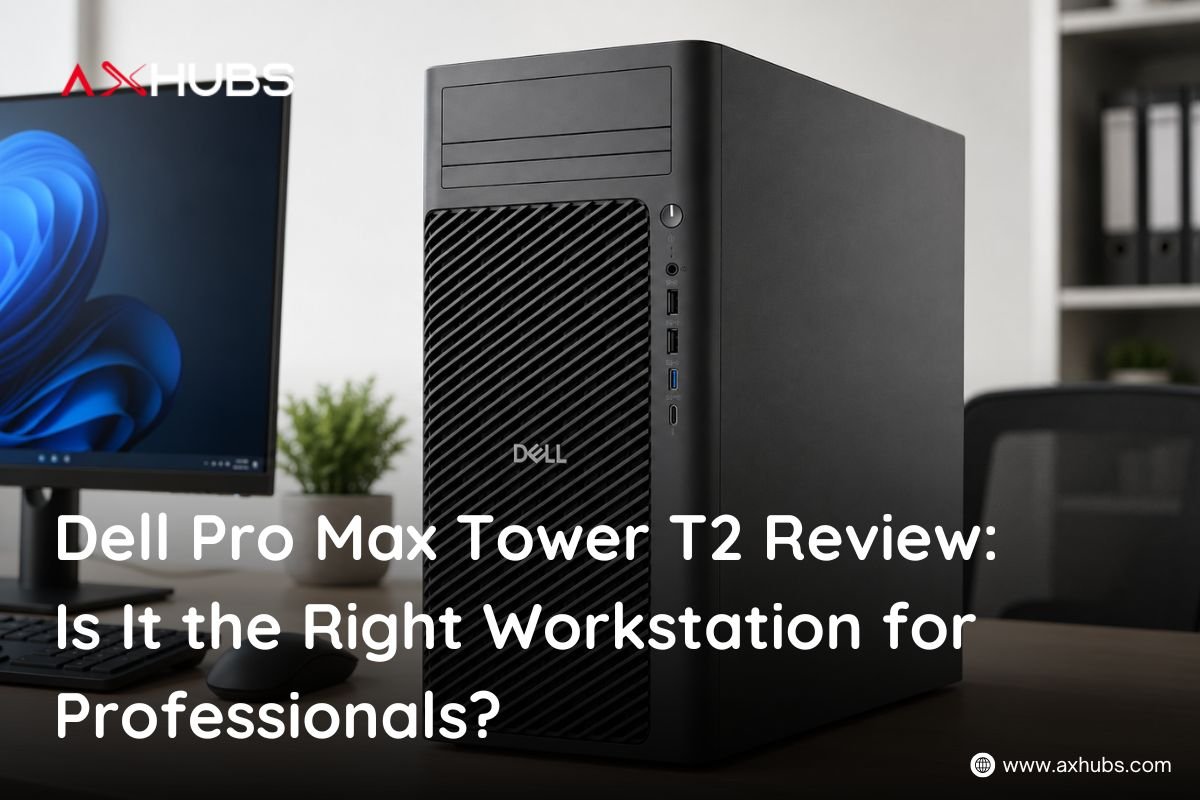
Dell Pro Max Tower T2 Review: Is It the Right Workstation for Professionals?
When your work involves CAD drawings, 3D models, large datasets, professional creative software, or heavy multitasking, a standard office desktop can quickly become a bottleneck.
That is where a workstation starts to make sense.
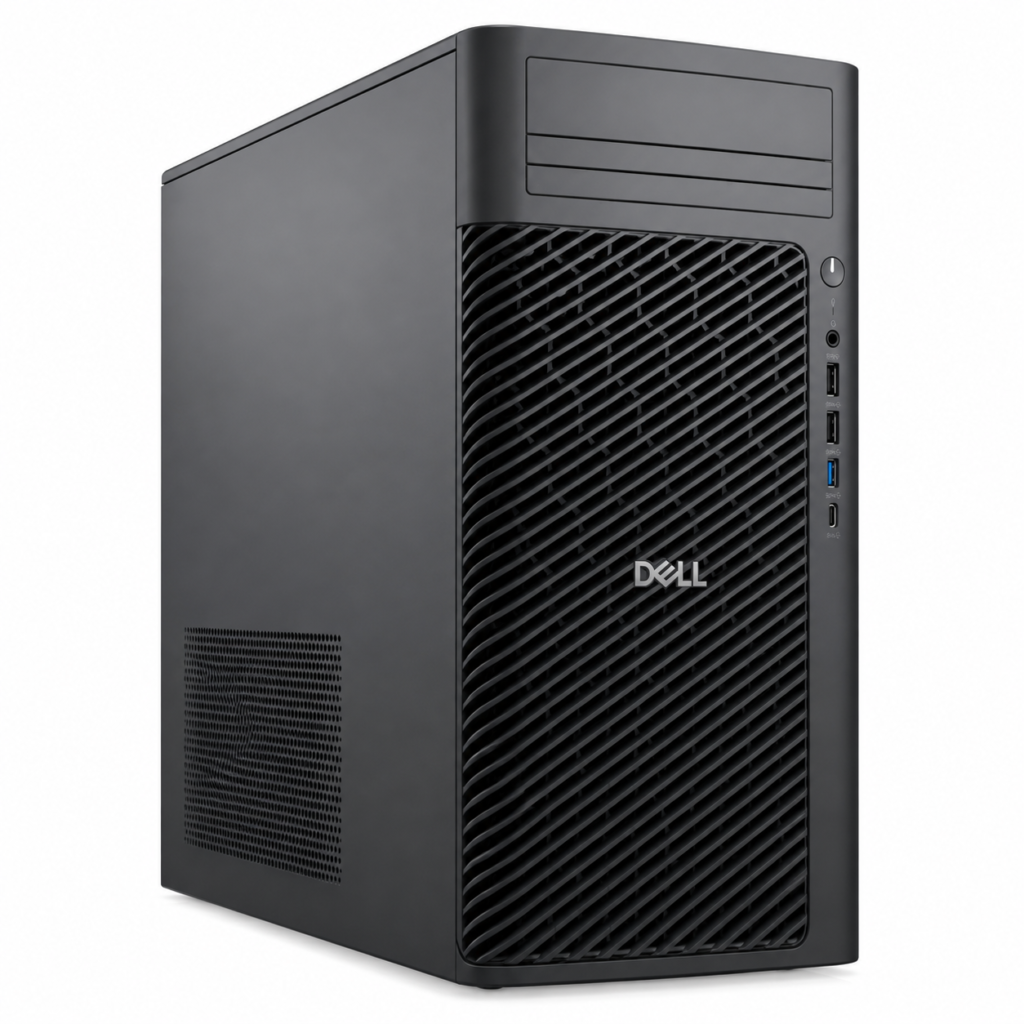
The Dell Pro Max Tower T2 Workstation is designed for professionals who need more computing and graphics power than a conventional business PC. The configuration we are reviewing combines an Intel Core Ultra 7 265K processor, 16GB DDR5 RAM, 512GB SSD, NVIDIA RTX A1000 8GB GDDR6 graphics, and a 500W power supply.
At AED 7,633, it is clearly an investment. So, does the performance justify the price?
In this Dell Pro Max Tower T2 review, we break down its specifications, performance potential, ideal users, limitations, and overall value for professionals and businesses in the UAE.
Dell Pro Max Tower T2 Specs at a Glance:
Before looking at real-world use cases, here are the key Dell Pro Max Tower T2 specs for this configuration:
| Specification | Dell Pro Max Tower T2 |
| Processor | Intel Core Ultra 7 265K |
| CPU Cores / Threads | 20 Cores / 20 Threads |
| Maximum Turbo Frequency | Up to 5.5GHz |
| Memory | 16GB DDR5 RAM |
| Storage | 512GB SSD |
| Graphics | NVIDIA RTX A1000 |
| Graphics Memory | 8GB GDDR6 |
| Power Supply | 500W |
| Warranty | 3 Years |
| Price | AED 7,633 |
Dell lists the Core Ultra 7 265K as a 20-core, 20-thread processor with 30MB cache and speeds reaching up to 5.5GHz in the Pro Max Tower T2 platform. The workstation itself also supports a wide range of memory, storage, and professional GPU configurations, giving businesses room to choose or scale hardware according to workload.
How Powerful Is the Intel Core Ultra 7 265K?
The Intel Core Ultra 7 265K is one of the strongest reasons to consider this workstation.
With 20 cores, 20 threads and boost speeds of up to 5.5GHz, the processor gives the Dell Pro Max Tower T2 plenty of CPU performance for demanding professional applications.
That makes the workstation suitable for tasks such as:
- CAD and engineering applications
- Software development and compiling
- Data processing
- Financial modelling
- Professional multitasking
- Content creation
- 3D design workflows
- Business applications running simultaneously
For someone regularly switching between large spreadsheets, dozens of browser tabs, communication tools, development software and specialized professional applications, this additional processing headroom can make a noticeable difference.
Simply put, the Dell Pro Max Tower T2 isn’t built just to open applications quickly. It is designed to keep working when those applications become demanding.
Is the NVIDIA RTX A1000 8GB Good for Professional Work?
Yes, but understanding its purpose is important.
The NVIDIA RTX A1000 8GB GDDR6 is a professional workstation GPU rather than a graphics card primarily designed around gaming.
NVIDIA equips the RTX A1000 with 8GB GDDR6 memory, second-generation RT Cores and third-generation Tensor Cores. It delivers 6.7 TFLOPS of single-precision performance while consuming up to only 50W.
That makes it particularly useful for professional workloads including:
CAD and engineering: Hardware-accelerated graphics can make working with detailed models and professional visualization software smoother.
3D modelling: The dedicated 8GB VRAM provides substantially more graphics capability than relying on integrated graphics.
Content creation: GPU acceleration can help with compatible video editing, rendering and creative applications.
AI-assisted workflows: Tensor Cores enable GPU acceleration for supported AI features and applications.
Multi-display workstations: NVIDIA states that the RTX A1000 can drive up to four 4K displays, which can be valuable for designers, engineers, financial professionals and control-room environments.
This is one of the major differences between the Dell Pro Max Tower T2 workstation and a typical office desktop.
Can the Dell Pro Max Tower T2 Handle CAD and 3D Design?
For many professional CAD and moderate 3D workloads, yes.
The combination of the Core Ultra 7 265K and NVIDIA RTX A1000 8GB gives architects, engineers, product designers and technical professionals a capable platform for design and visualization.
NVIDIA specifically positions the RTX A1000 for design, visualization and digital content creation workloads, including hardware-accelerated ray tracing and AI-enhanced applications.
Applications and workflows involving AutoCAD, Revit, SolidWorks-style CAD work, 3D modelling and visualization can benefit from dedicated workstation graphics.
There is an important distinction, however.
The RTX A1000 is not a top-end rendering GPU. Professionals working on extremely complex simulations, massive 3D environments, intensive GPU rendering or large AI models may benefit from a higher-end GPU configuration.
Dell offers the Pro Max Tower T2 platform with substantially more powerful professional GPU options, making the tower scalable beyond this particular configuration.
Is 16GB DDR5 RAM Enough for a Professional Workstation?
16GB DDR5 RAM is enough to get started, but it may be the first component power users want to upgrade.
For everyday professional workloads such as office applications, moderate CAD work, browsing, accounting, programming and business multitasking, 16GB can be sufficient.
But if your workload involves:
- Large 3D projects
- Complex engineering software
- Virtual machines
- Large datasets
- Heavy video editing
- Multiple demanding applications simultaneously
then 32GB or more may provide a better long-term experience.
The good news is that the Pro Max Tower T2 platform supports significantly larger memory configurations. Dell’s specification sheet lists configurations going up to 128GB DDR5, including both ECC and non-ECC options depending on configuration.
That upgrade potential matters because your workstation can grow with your workload rather than forcing you to replace the entire system.
Is the 512GB SSD Enough?
The included 512GB SSD provides fast storage for the operating system, professional software and active files.
For office users and professionals who primarily store projects on company servers or cloud platforms, 512GB may be perfectly reasonable.
For video editors, designers, engineers and professionals dealing with large project files, however, storage can disappear quickly.
Dell supports numerous storage options for the Tower T2 platform, including larger PCIe NVMe SSDs and additional high-capacity drives.
Therefore, buyers expecting large local workloads should consider additional storage as a future upgrade.
What Type of Professionals Is the Dell Pro Max Tower T2 Best For?
The Dell Pro Max Tower T2 makes the most sense when your computer is a business tool rather than simply a device for email and web browsing.
It is particularly attractive for:
Engineers and CAD Professionals:
The combination of a powerful Core Ultra processor and dedicated NVIDIA workstation graphics makes it suitable for technical drawings, modelling, product design and engineering applications.
Architects and Designers:
Professionals working with CAD, 3D models and visualization can benefit from the RTX A1000’s dedicated 8GB graphics memory and RTX capabilities.
Developers:
The 20-core processor provides plenty of CPU resources for coding, compiling, running development environments and multitasking.
Video Editors and Content Creators:
The RTX A1000 provides GPU acceleration and dedicated graphics memory for supported creative applications. NVIDIA also includes AV1 decoding support through its fifth-generation NVDEC engine.
Businesses and Corporate Teams:
For companies purchasing computers for engineering, design, development or other specialized departments, a workstation platform can provide better long-term flexibility than deploying ordinary consumer desktops.
Data and AI Professionals:
The system can support AI-assisted and GPU-accelerated workloads, although users working with very large models or intensive AI training should consider a more powerful GPU configuration.
Dell Pro Max Tower T2 vs a Regular Business Desktop: What’s the Difference?
The difference comes down to the type of work each machine is designed to handle.
| Area | Regular Business Desktop | Dell Pro Max Tower T2 |
| Email & Office Apps | Excellent | Excellent |
| Heavy Multitasking | Moderate–Good | Excellent |
| CAD Work | Limited–Moderate | Very Good |
| Professional GPU | Usually No | NVIDIA RTX A1000 |
| 3D Work | Limited | Good |
| AI-Accelerated Workflows | Limited | Supported |
| Upgrade Potential | Varies | Strong |
| Professional Workloads | Moderate | Designed for Them |
If your daily workload consists mainly of Microsoft Office, browser applications, email and basic accounting software, buying a workstation of this level may be unnecessary.
But when every minute spent waiting for a model, render, calculation or application affects productivity, workstation hardware becomes much easier to justify.
How Upgradeable Is the Dell Pro Max Tower T2?
Upgradeability is one of the biggest reasons to choose a tower workstation.
Dell’s official specifications show that the Pro Max Tower T2 platform can be configured with processors ranging up to the Core Ultra 9 285K, memory up to 128GB, multiple SSD and HDD options, and professional graphics cards far beyond the RTX A1000.
This gives businesses an important advantage.
You might start with 16GB RAM and 512GB storage today, then increase memory, storage or graphics capability later as workloads become more demanding.
A tower workstation is therefore not just about today’s performance. It is also about having room for tomorrow’s requirements.
What Are the Main Advantages of the Dell Pro Max Tower T2?
There is a lot to like about this configuration.
Powerful processor: The Core Ultra 7 265K provides excellent processing headroom for demanding professional applications.
Professional NVIDIA graphics: The RTX A1000 adds 8GB of dedicated GDDR6 memory, RT Cores and Tensor Cores for professional graphics and AI-accelerated workflows.
Fast DDR5 memory: 16GB provides a solid starting point for professional use.
SSD storage: The 512GB SSD provides fast application and file access.
Upgrade potential: Memory, storage and graphics options give the platform room to scale.
500W power supply: The supplied PSU supports this workstation configuration while providing a professional tower platform.
3-year warranty: A longer warranty can be particularly valuable when the workstation is being purchased for business use.
Are There Any Drawbacks?
No workstation is right for everyone.
The biggest limitation of this particular configuration is the 16GB RAM and 512GB SSD combination.
Both are adequate starting specifications, but professionals dealing with large files or demanding creative and engineering workloads may eventually want 32GB RAM and 1TB or more storage.
The RTX A1000 is also best viewed as an accessible professional workstation GPU rather than a high-end rendering powerhouse.
And at AED 7,633, this system is considerably more expensive than an ordinary office desktop.
But that comparison misses the point.
You are paying for a workstation-class platform with a high-performance processor, dedicated NVIDIA professional graphics, expansion possibilities and hardware designed around more demanding professional use.
How Much Does the Dell Pro Max Tower T2 Cost in the UAE?
The featured Dell Pro Max Tower T2 Workstation is priced at AED 7,633 at AXHUBS.
For that price, the configuration includes:
Intel Core Ultra 7 265K + 16GB DDR5 RAM + 512GB SSD + NVIDIA RTX A1000 8GB GDDR6 + 500W Power Supply + 3-Year Warranty.
For businesses buying multiple systems, the per-unit specification is only part of the purchasing decision. Availability, bulk pricing and the ability to source multiple machines from the same supplier can also matter.
Where Can You Buy the Dell Pro Max Tower T2 in the UAE?
Looking for the Dell Pro Max Tower T2 in UAE?
You can buy from AXHUBS for both retail and bulk orders.
Whether you need one professional workstation for an engineer or designer or multiple Dell workstations for an entire business, AXHUBS can support individual and bulk purchasing requirements.
Bulk buyers can also contact AXHUBS for available discounts and competitive pricing on larger quantities.
Get the Dell Pro Max Tower T2 Workstation for AED 7,633 and equip your business with hardware built for demanding professional workflows.
Buying in bulk? Contact AXHUBS for discounts.
Dell Pro Max Tower T2 Review: Is It Worth AED 7,633?
For the right buyer, yes.
The Dell Pro Max Tower T2 offers a strong balance between CPU performance, professional graphics, upgradeability and business-focused reliability.
Its Core Ultra 7 265K processor gives professionals serious CPU performance, while the NVIDIA RTX A1000 8GB makes it much better suited to CAD, visualization, creative and GPU-accelerated applications than a conventional business desktop.
The biggest consideration is memory and storage. While 16GB RAM and a 512GB SSD are sufficient for many users today, demanding professionals should keep future upgrades in mind.
If you are an engineer, architect, designer, developer, content creator or business buying workstations for professional teams, the Dell Pro Max Tower T2 deserves serious consideration.
Price: AED 7,633
Frequently Asked Questions
Is the Dell Pro Max Tower T2 good for AutoCAD and 3D design?
Yes. The combination of the Intel Core Ultra 7 265K and NVIDIA RTX A1000 8GB makes this configuration suitable for many professional CAD, 3D modelling and visualization workloads. Extremely demanding rendering projects may require a higher-end GPU.
Can I upgrade the RAM and storage in the Dell Pro Max Tower T2?
Yes. Upgradeability is one of the platform’s key advantages. Dell lists memory configurations up to 128GB and multiple SSD and HDD storage options for the Pro Max Tower T2.
Is the NVIDIA RTX A1000 good for professional use?
Yes. The NVIDIA RTX A1000 is a professional workstation GPU with 8GB GDDR6 memory, RT Cores and Tensor Cores. NVIDIA positions it for design, visualization, digital content creation, AI-enhanced applications and multi-display professional environments.
Where can I buy the Dell Pro Max Tower T2 in the UAE?
The featured Dell Pro Max Tower T2 configuration is available from AXHUBS for AED 7,633. Retail customers can purchase individual units, while businesses and resellers can contact AXHUBS for bulk orders and available quantity discounts.


About author


Add comment