


Is the HP OmniStudio X 27 Good for Gaming? Full Performance Review
The HP OmniStudio X 27 is not your typical all-in-one PC.
Most AIO desktops focus mainly on office work, browsing, and everyday productivity. This one takes things further with an Intel Core Ultra 7 356H processor, dedicated NVIDIA GeForce RTX 5050 graphics, 16GB DDR5 RAM, 1TB SSD, and a 27-inch QHD 120Hz display.
That combination makes an interesting question worth asking:
Can the HP OmniStudio X 27 actually handle gaming, or is the RTX 5050 simply there for occasional graphics-heavy work?
In this review, we’ll look at its processor, GPU, display, memory, storage, gaming potential, creative workloads, and overall value to help you decide if this HP all-in-one PC makes sense for gaming in 2026.
HP OmniStudio X 27 specifications at a glance:
| Feature | Specification |
| Processor | Intel Core Ultra 7 356H |
| Max CPU Speed | Up to 4.7GHz |
| RAM | 16GB DDR5 |
| Storage | 1TB SSD |
| Graphics | NVIDIA GeForce RTX 5050 8GB GDDR6 |
| Display | 27-inch QHD IPS |
| Refresh Rate | 120Hz |
| Display Features | Anti-glare |
| Operating System | Windows 11 Home |
| Keyboard & Mouse | Wireless |
| Form Factor | All-in-One Desktop PC |
| Price | AED 8,922 |
HP’s OmniStudio X 27 platform combines the Core Ultra 7 356H with optional discrete RTX 5050 graphics, while official HP specifications list a 27-inch QHD 120Hz IPS display on relevant configurations. (HP)
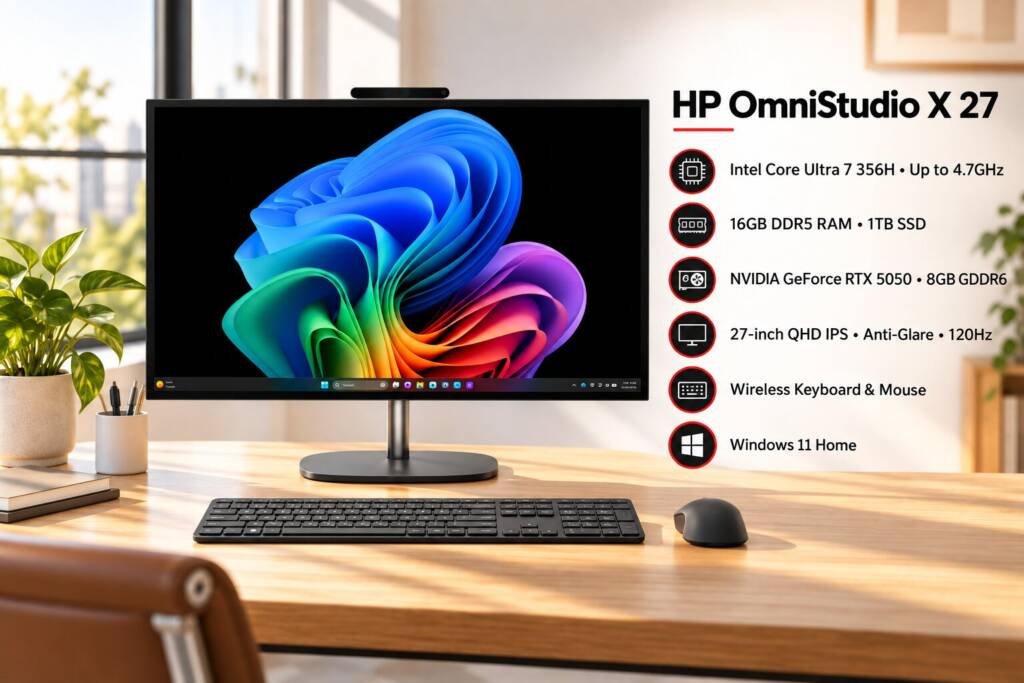
So, is the HP OmniStudio X 27 good for gaming?
Yes, but with an important distinction.
The HP OmniStudio X 27 is capable of gaming thanks to its dedicated RTX 5050 8GB graphics card and 120Hz QHD display. It is significantly more gaming-capable than the typical integrated-graphics all-in-one PC.
However, it is better viewed as a multi-purpose desktop that can also game rather than a dedicated gaming PC.
That’s an important difference.
A traditional gaming desktop gives you more freedom to select high-end graphics hardware, upgrade components and optimize the system specifically for gaming.
The OmniStudio X 27 AIO Desktop PC takes a different approach: one machine for work, entertainment, creative applications and gaming, without a separate tower taking up desk space.
For many users, that combination is exactly the appeal.
Intel Core Ultra 7 356H gives the OmniStudio X 27 serious processing power
At the center of this AIO is the Intel Core Ultra 7 356H.
Intel lists the processor with 16 cores, 16 threads, an 18MB cache and a maximum turbo frequency of 4.7GHz. It also includes Intel AI acceleration features through its NPU. (Intel)
For gaming, the CPU matters because it handles game logic, physics, background processes and communication between the game and graphics hardware.
The Core Ultra 7 356H also gives the OmniStudio X 27 plenty of capability beyond gaming.
You can use it for:
- Office productivity
- Web browsing with multiple tabs
- Video conferencing
- Photo editing
- Video editing
- Content creation
- Programming
- Digital marketing
- AI-assisted applications
- Streaming and entertainment
This is where the OmniStudio X 27 starts to separate itself from a basic gaming-focused machine.
You’re getting a PC that can work during the day and game after work.
RTX 5050 8GB is the key to its gaming performance:
The biggest gaming-related component here is the NVIDIA GeForce RTX 5050 with 8GB dedicated graphics memory.
Instead of relying only on Intel’s integrated graphics, the OmniStudio X 27 uses a dedicated NVIDIA GPU.
That’s a major difference for gaming.
The RTX 5050 gives the system dedicated graphics resources for rendering games and handling graphics-intensive applications. HP lists the RTX 5050 as the discrete GPU option for the OmniStudio X 27 platform. (HP)
The 8GB graphics memory also gives the GPU room to handle modern game assets and higher-resolution textures.
This makes the HP OmniStudio X 27 suitable for:
- Competitive gaming
- Popular multiplayer games
- Modern PC games
- Casual gaming
- Story-driven games
- Creative applications
- GPU-accelerated editing
- 3D applications
The actual frame rate will depend on the game, graphics settings, resolution, drivers and thermal/power configuration, so it’s better not to treat the RTX 5050 as a guarantee of a particular FPS figure across every game.
The 27-inch QHD 120Hz display is a gaming advantage:
The display is arguably one of the most attractive parts of this AIO.
You get a 27-inch QHD display with a 2560 × 1440 resolution and 120Hz refresh rate.
That’s a significant upgrade from a standard 60Hz office monitor.
A higher refresh rate allows the screen to update more frequently, which can make movement feel smoother in games.
That matters particularly in:
- Racing games
- First-person shooters
- Competitive multiplayer games
- Action games
- Sports games
The QHD resolution also gives you a sharper image than standard 1080p.
HP lists the display as an IPS panel with anti-glare treatment, 450 nits brightness, and wide color coverage on relevant OmniStudio X configurations.
So this isn’t simply a screen added to the desktop.
The display is one of the reasons this AIO makes sense for both gaming and creative work.
Is QHD gaming demanding for the RTX 5050?
This is where expectations matter.
QHD, or 2560 × 1440, puts more workload on the GPU than 1080p.
The advantage is sharper visuals.
The trade-off is that demanding games require more graphics processing power.
With the RTX 5050, users should approach QHD gaming with sensible graphics settings rather than assuming every new AAA title will run at maximum settings with extremely high frame rates.
For competitive and less demanding games, the combination of RTX 5050 and a 120Hz display can be particularly attractive.
For graphically demanding games, adjusting settings can help balance image quality and frame rate.
That’s normal for a GPU in this performance class.
16GB DDR5 RAM is enough for gaming and everyday work:
The configuration comes with 16GB DDR5 RAM.
For most modern gaming and everyday productivity, 16GB remains a practical starting point.
It gives you enough memory for gaming while keeping other common applications running in the background.
You can also use the system for:
- Chrome or Edge
- Microsoft Office
- Discord
- Spotify
- Adobe applications
- Business software
- Communication tools
One thing worth keeping in mind is that demanding creative workflows can benefit from more memory.
If you regularly work with large video projects, complex 3D applications or heavy multitasking, a higher-memory configuration may be preferable. HP’s OmniStudio X platform supports different memory configurations depending on the exact model.
1TB SSD gives you useful space for games and work:
The 1TB SSD is another practical addition.
Modern games can take up a lot of storage, and business users also accumulate documents, media files, applications and project folders quickly.
A 1TB SSD gives you a comfortable starting point for:
- Games
- Windows
- Applications
- Work files
- Photos
- Videos
- Creative projects
The SSD also keeps everyday system responsiveness fast, from booting Windows to opening applications and loading files.
HP lists 1TB NVMe SSD configurations for the OmniStudio X 27 platform.
What makes an all-in-one gaming PC different?
This is where the OmniStudio X 27 becomes interesting.
With a conventional gaming desktop, you have a separate tower and monitor.
The HP OmniStudio X 27 puts the major components behind the display.
That gives you a much cleaner setup.
One screen, one system, fewer cables:
The computer is integrated into the display, while the wireless keyboard and mouse complete the setup.
You don’t need to purchase a separate monitor just to start using the desktop.
It saves desk space:
A traditional gaming desktop can occupy significant space.
The OmniStudio X 27 keeps the footprint focused around the monitor and stand.
It looks more professional:
If your desktop doubles as your home office setup, an AIO can fit more naturally into a professional environment than a large gaming tower.
That’s particularly useful for people who don’t want their work setup to look like a dedicated gaming station.
Can you use the HP OmniStudio X 27 for creative work?
Absolutely.
The combination of Core Ultra 7, RTX 5050, 16GB RAM, 1TB SSD and a QHD display makes this configuration useful beyond gaming.
It can be a practical option for:
- Photoshop
- Lightroom
- Premiere Pro
- Graphic design
- Photo editing
- Video editing
- Content creation
- 3D applications
- AI-assisted creative tools
The wide-color display specifications listed by HP also make the OmniStudio X 27 interesting for creators who care about color reproduction. HP lists 100% DCI-P3 and 100% Adobe RGB on relevant 27-inch QHD configurations.
That makes the screen useful for more than simply playing games.
Is the HP OmniStudio X 27 good for office and business use?
This is arguably where the AIO becomes more versatile than a traditional gaming desktop.
You can use the same machine for:
Morning: Emails, Excel, Teams and business applications.
Afternoon: Photoshop, browser-based tools, content creation or video editing.
Evening: Gaming and entertainment.
The 27-inch QHD display gives you plenty of screen real estate for multitasking, while the wireless keyboard and mouse keep the desk setup clean.
Windows 11 Home is included with this configuration.
AI features add another layer to the OmniStudio X 27:
The “AI PC” label isn’t only marketing terminology.
The Core Ultra 7 356H includes an NPU specifically for AI workloads. Intel lists up to 50 NPU TOPS for the processor.
The NPU is intended to handle compatible AI workloads efficiently without putting all of that work on the CPU.
For users, this can become useful in applications that support local AI features, such as:
- AI-assisted content creation
- Video conferencing effects
- Image and video tools
- Productivity applications
- AI-enhanced workflows
The combination of CPU, GPU and NPU gives the system multiple processing resources for different types of workloads.
What about connectivity and accessories?
The OmniStudio X 27 isn’t just a screen with a computer hidden behind it.
HP lists modern connectivity options on relevant configurations, including Thunderbolt 4, USB-A, HDMI 2.1 and DisplayPort 2.1, along with high-speed networking options. (HP)
The system also comes with a wireless keyboard and mouse, so you have a complete desktop setup without needing to purchase those separately.
For someone building a home office or gaming setup from scratch, that can make the overall package more convenient.
Who should buy the HP OmniStudio X 27?
The HP OmniStudio X 27 makes the most sense for someone who wants one premium desktop setup that can handle several roles.
It’s particularly suitable for:
Gamers who also work:
You get dedicated RTX graphics and a 120Hz display without turning your workspace into a full gaming setup.
Content creators:
The QHD display, wide color coverage and dedicated GPU give creative applications more room to work.
Professionals:
The large screen and strong processor are useful for productivity, multitasking and business applications.
Home users:
The AIO format keeps everything simple and organized.
Students:
It provides enough performance for study, entertainment, creative projects and gaming.
Who should consider a traditional gaming desktop instead?
The OmniStudio X 27 isn’t for everyone.
A dedicated gaming desktop may make more sense if your main priority is maximum gaming performance and future hardware upgrades.
A tower gives you more freedom to replace or upgrade components such as the graphics card, power supply and cooling system.
You may also want a traditional gaming PC if you’re targeting extremely demanding AAA games at high settings or planning a multi-GPU/performance-focused workstation setup.
The HP OmniStudio X 27 prioritizes simplicity, space-saving design and versatility.
That’s its selling point.
HP OmniStudio X 27 price in UAE:
The HP OmniStudio X 27 All-in-one PC configuration featured in this review is priced at:
AED 8,922
The package includes:
- Intel Core Ultra 7 356H
- 16GB DDR5 RAM
- 1TB SSD
- NVIDIA GeForce RTX 5050 8GB GDDR6
- 27-inch QHD IPS display
- 120Hz refresh rate
- Anti-glare display
- Wireless keyboard and mouse
- Windows 11 Home
BUY FROM AXHUBS.COM IN UAE.
AXHUBS deals in both wholesale and retail, making the HP OmniStudio X 27 an option for individual buyers, professionals, businesses and organizations purchasing multiple systems.
Final verdict: Is the HP OmniStudio X 27 good for gaming?
Yes, the HP OmniStudio X 27 is capable of gaming, but its real strength is versatility.
The RTX 5050 8GB gives it dedicated graphics performance, while the Intel Core Ultra 7 356H provides strong processing capability. Add the 27-inch QHD 120Hz display, and you have an AIO that can handle gaming far better than a conventional office-focused all-in-one.
But gaming isn’t the only reason to consider it.
You also get a large QHD display, 1TB SSD, 16GB DDR5 memory, AI-capable hardware, wireless accessories and a clean all-in-one design.
So if you want one desktop for gaming, work, entertainment and creative tasks, the HP OmniStudio X 27 makes a compelling case.
If you’re looking for a machine purely for maximum gaming performance and future hardware upgrades, a traditional gaming desktop gives you more flexibility.
For everyone looking for a powerful all-in-one PC that can game without looking like a gaming PC, the OmniStudio X 27 is an interesting option.
Frequently asked questions
Is the HP OmniStudio X 27 good for gaming?
Yes. The HP OmniStudio X 27 configuration features an NVIDIA GeForce RTX 5050 8GB dedicated GPU, Intel Core Ultra 7 356H processor and a 27-inch QHD 120Hz display, making it suitable for PC gaming. Gaming performance will vary depending on the title and graphics settings.
Can the HP OmniStudio X 27 run games at QHD resolution?
Yes, the system has a native 2560 × 1440 QHD display and dedicated RTX 5050 graphics. However, demanding games may require adjusted graphics settings to maintain smoother frame rates at QHD resolution.
Is 16GB RAM enough for gaming on the HP OmniStudio X 27?
For most gaming and everyday productivity workloads, 16GB DDR5 RAM is a practical configuration. Users working with heavy video editing, 3D applications or extensive multitasking may benefit from more memory.
How much does the HP OmniStudio X 27 cost in UAE?
The configuration featured in this review is priced at AED 8,922. You can buy the HP OmniStudio X 27 from AXHUBS.com in UAE, with AXHUBS offering both wholesale and retail purchasing options.

About author


Add comment