



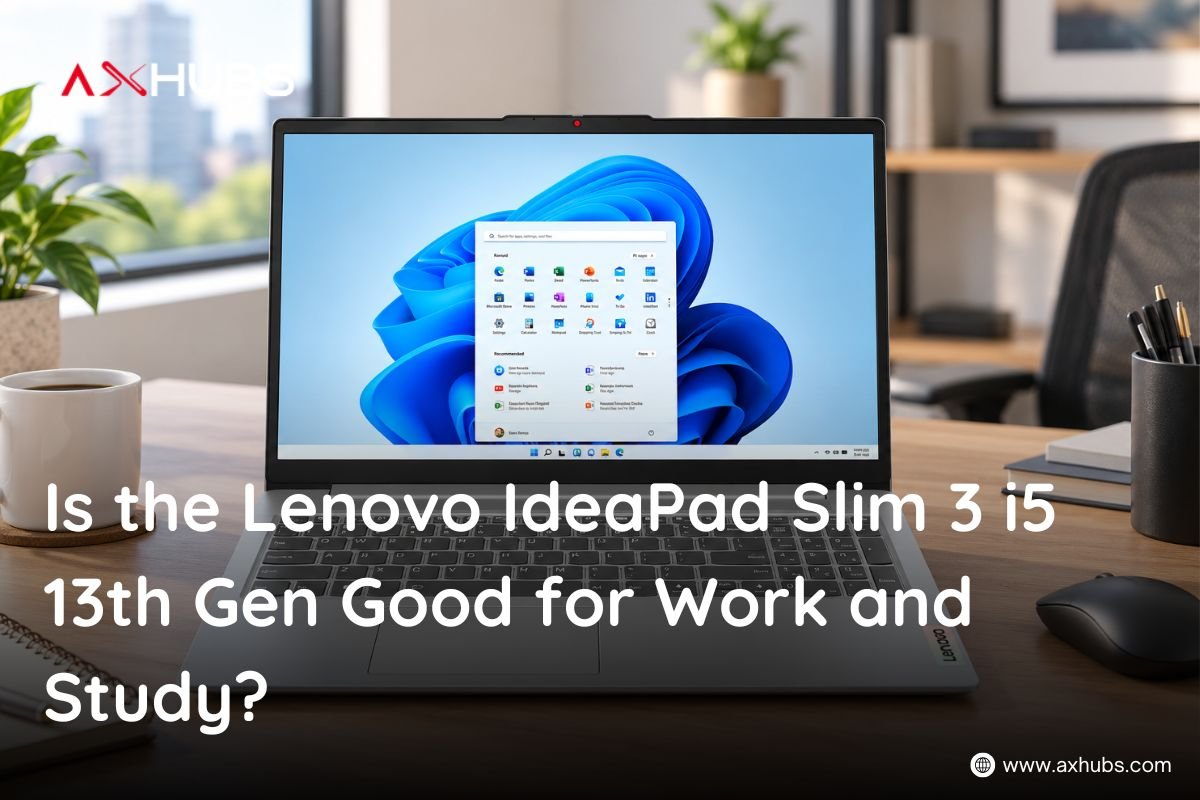
Is the Lenovo IdeaPad Slim 3 i5 13th Gen Good for Work and Study?
Choosing a laptop for work or university does not always mean spending a huge amount on premium hardware. For many students, professionals, freelancers, and everyday users, the sweet spot is a laptop that offers reliable performance, enough storage, a comfortable display, and a processor that can handle multiple tasks without slowing you down.
The Lenovo IdeaPad Slim 3 15.3-inch with a 13th Gen Intel Core i5-13420H processor, 8GB DDR5 RAM, 512GB NVMe SSD, and WUXGA IPS display is built around exactly this type of everyday use.
But is it actually good enough for work and study?
Yes, for typical productivity, study, office work, browsing, research, online meetings, presentations, and everyday multitasking, this configuration offers a practical combination of performance and features. The H-series Intel Core i5 processor also gives it more processing headroom than many entry-level laptops.
In this guide, we’ll look at its processor, RAM, storage, display, everyday performance, study capabilities, work applications, and the type of user who should consider it.
Lenovo IdeaPad Slim 3 i5 13th Gen: Quick specifications
Before getting into performance, here is a quick look at what this configuration offers:
| Feature | Specification |
| Laptop | Lenovo IdeaPad Slim 3 |
| Display | 15.3-inch WUXGA IPS |
| Resolution | 1920 × 1200 |
| Processor | Intel Core i5-13420H |
| Generation | 13th Gen |
| RAM | 8GB DDR5 |
| Storage | 512GB NVMe SSD |
| Keyboard | English |
| Operating System | Windows 11 |
| Colour | Grey |
| Warranty | 1 year |
| Price | AED 2,025* |
*Price may be subject to change.
The combination is aimed at users who need a dependable work and study laptop without moving into expensive business or high-performance gaming machines.
Is the Intel Core i5-13420H good enough for work?
The processor is one of the strongest reasons to consider this Lenovo laptop.
The Intel Core i5-13420H belongs to Intel’s 13th Gen Core i5 mobile processor family. It features 8 cores and 12 threads, with a maximum turbo frequency of up to 4.60 GHz and 12MB of Intel Smart Cache.
That matters because work laptops are rarely used for just one thing.
You might have Chrome tabs open while working on a Word document, checking emails, attending a Teams meeting, editing an Excel spreadsheet, and switching between different applications.
The i5-13420H gives the laptop enough CPU capability for this type of workload.
Also Read: 5 Best HP Business Laptops
What can you use it for?
For typical professional and office tasks, the Lenovo IdeaPad Slim 3 can be used for:
- Microsoft Word and PowerPoint
- Microsoft Excel
- Google Workspace
- Email and communication
- Web browsing and research
- Zoom and online meetings
- Microsoft Teams
- CRM software
- Content writing
- SEO work
- Social media management
- Basic photo editing
- Online business tasks
- Remote work
- Document management
For users who spend most of their day working with documents, browser-based applications, spreadsheets, emails, and communication tools, this type of processor is a practical fit.
Is Lenovo IdeaPad Slim 3 good for students?
For students, a laptop needs to do more than simply run a web browser.
Research, assignments, presentations, PDFs, online classes, video calls, note-taking, and multiple browser tabs can quickly become part of a normal study session.
The Lenovo IdeaPad Slim 3 has the hardware to handle these everyday academic tasks.
Students can use it for:
- Online classes
- Microsoft Office
- Google Docs and Sheets
- Research and browsing
- Assignments
- Presentations
- PDF reading
- Programming and coding practice
- Online learning platforms
- Video conferencing
- Academic research
- Project work
The 15.3-inch WUXGA IPS display is particularly useful for study because the 1920 × 1200 resolution provides more vertical workspace than a standard 1920 × 1080 screen.
That extra screen space can be useful when reading documents, working with spreadsheets, viewing websites, or keeping multiple windows visible.
What does the WUXGA IPS display offer?
A laptop’s display can have a bigger impact on daily use than people initially expect.
This Lenovo IdeaPad Slim 3 comes with a 15.3-inch WUXGA IPS display. The WUXGA resolution is 1920 × 1200, giving the screen a 16:10 aspect ratio.
Compared with traditional Full HD 1920 × 1080, the additional vertical resolution gives you more room to view documents and webpages.
For students, this can mean seeing more lines of a PDF or assignment.
For professionals, it can make working with spreadsheets, websites, dashboards, and documents more comfortable.
The IPS panel also makes the laptop suitable for general multimedia consumption, browsing, presentations, and everyday visual work.
Is 8GB DDR5 RAM enough for work and study?
The laptop comes with 8GB DDR5 RAM, which is a sensible starting point for everyday productivity.
For tasks such as:
- Browsing
- Office applications
- Online classes
- Emails
- Research
- Document editing
- Presentations
- Light multitasking
8GB can be sufficient.
However, RAM requirements depend heavily on how you use the laptop.
If your normal workflow involves dozens of browser tabs, large spreadsheets, heavy creative applications, virtual machines, or professional-grade video editing, you may benefit from more memory.
For a student or office user with a normal productivity workload, 8GB RAM provides a practical baseline.
Why the 512GB NVMe SSD matters
Storage is another important part of the experience.
This Lenovo IdeaPad Slim 3 comes with a 512GB NVMe SSD.
Instead of relying on a traditional mechanical hard drive, an NVMe SSD provides fast storage for the operating system, applications, documents, projects, and other files.
That can make everyday tasks feel much more responsive.
You can use the 512GB storage for:
- University documents
- Office files
- PDFs
- Presentations
- Software
- Photos
- Videos
- Work projects
- Study material
It also gives you considerably more breathing room than a basic 128GB or 256GB configuration.
For students and office professionals, 512GB SSD storage is a useful balance between capacity and everyday performance.
Can it handle multitasking?
This is where the combination of the Core i5-13420H + 8GB DDR5 RAM + NVMe SSD becomes important.
Multitasking does not depend on one component alone.
The processor handles the computational workload, RAM provides working memory for active applications, and the SSD helps with storage and application responsiveness.
For example, you could research a topic in Chrome while writing an assignment in Word, checking references in another tab, and keeping Spotify or another background application running.
That is the type of everyday multitasking this laptop is suited to.
However, extremely demanding workflows are a different story. Professional 4K video editing, 3D rendering, advanced CAD workloads, and high-end gaming typically require more powerful graphics hardware and, in many cases, additional RAM.
Is it good for remote work?
Remote work has become a normal part of professional life, and a good work laptop needs to support more than just office documents.
The Lenovo IdeaPad Slim 3 can fit well into a remote-work setup involving:
Communication:
Email, Microsoft Teams, Zoom, and browser-based communication platforms.
Productivity:
Microsoft Office, Google Workspace, project management platforms, and cloud applications.
Content work:
Writing, editing, research, SEO, social media management, and basic creative tasks.
Business work:
CRM platforms, spreadsheets, reports, presentations, and web-based business applications.
For freelancers and remote professionals who mainly work with cloud software and productivity applications, this configuration provides a practical everyday setup.
Is it suitable for programming and coding?
For students learning programming, the laptop provides a useful starting point.
The Core i5-13420H processor, 8GB DDR5 RAM, and 512GB SSD can handle common development environments and programming tools.
It can be used for learning:
- Python
- Java
- JavaScript
- C++
- HTML and CSS
- SQL
- Web development
- Basic software development
For university-level programming courses and general development practice, this configuration can be sufficient.
However, developers working with multiple virtual machines, large software projects, Android emulators, or resource-intensive development environments may eventually benefit from more RAM.
What about graphic design and video editing?
This is where expectations need to be realistic.
The configuration uses integrated Intel UHD Graphics rather than a dedicated gaming or workstation GPU. Lenovo lists integrated Intel UHD Graphics for configurations using the i5-13420H.
That makes the laptop better suited to everyday productivity and lighter creative work than demanding graphics workloads.
It can be appropriate for:
- Basic image editing
- Canva
- Social media graphics
- Simple presentations
- Basic photo adjustments
- Light creative projects
For professional 4K video editing, 3D modelling, advanced animation, or demanding GPU-based applications, a laptop with dedicated graphics would be more appropriate.
Is the Lenovo IdeaPad Slim 3 good for everyday entertainment?
A work and study laptop does not have to be boring.
After finishing an assignment or closing your work tabs, the laptop can also handle everyday entertainment such as:
- YouTube
- Netflix
- Music streaming
- Web browsing
- Social media
- Online videos
- Casual games
The 15.3-inch WUXGA IPS screen also gives you a comfortable canvas for watching videos and browsing content.
Just keep in mind that the integrated graphics are aimed at general computing rather than high-end gaming.
Who should buy the Lenovo IdeaPad Slim 3?
This Lenovo laptop makes sense for users who need a dependable everyday machine without paying for hardware they may never use.
Students:
A suitable choice for university assignments, research, online classes, presentations, programming practice, and general study.
Office professionals:
Useful for Microsoft Office, email, browser-based software, spreadsheets, meetings, reports, and general productivity.
Freelancers:
A practical option for writers, virtual assistants, SEO professionals, social media managers, and other professionals working primarily through browser-based tools.
Remote workers:
The combination of an H-series Core i5 processor, SSD storage, Windows 11, and a large WUXGA display provides a practical foundation for working from home.
Everyday users:
If your main requirements are browsing, documents, entertainment, communication, and general computing, the configuration covers those needs without unnecessary complexity.
Who should consider a more powerful laptop?
Not every user needs the same level of hardware.
You may want to consider a laptop with 16GB or more RAM and dedicated graphics if your work involves:
- Professional video editing
- 3D rendering
- Advanced CAD
- Heavy animation
- Large virtual machines
- Professional 3D applications
- High-end gaming
- GPU-intensive AI workloads
The Lenovo IdeaPad Slim 3 is better positioned as a productivity, study, and everyday-use laptop rather than a workstation or gaming machine.
Lenovo IdeaPad Slim 3 i5 13th Gen: Key benefits at a glance
There are several reasons this configuration can make sense for students and professionals:
13th Gen Intel Core i5-13420H:
An 8-core, 12-thread processor with speeds of up to 4.60 GHz gives the laptop a solid foundation for productivity and multitasking.
8GB DDR5 RAM:
Enough for common study, office, browsing, and everyday productivity workloads.
512GB NVMe SSD:
Provides useful storage capacity while supporting responsive everyday computing.
15.3-inch WUXGA IPS display:
The 1920 × 1200 resolution provides additional vertical workspace for documents, webpages, and productivity applications.
Windows 11:
A familiar operating system for modern productivity, education, communication, and entertainment.
English keyboard:
A straightforward choice for students, professionals, and users who regularly type documents or code.
Grey finish:
A clean, understated look that works equally well in a classroom, office, home workspace, or café.
Lenovo IdeaPad Slim 3 vs your typical student laptop
Many entry-level laptops focus heavily on keeping the price down, sometimes compromising on processor capability or storage.
The IdeaPad Slim 3 takes a more balanced approach with an H-series 13th Gen Core i5 processor and 512GB NVMe SSD.
That makes it particularly interesting for users who want something beyond basic browsing but do not need a dedicated graphics card.
The key question is not simply, “Is this laptop powerful?”
The better question is:
“Does it have enough performance for what I actually do every day?”
For study, office productivity, remote work, research, browsing, documents, presentations, and everyday multitasking, the answer can be yes.
Lenovo IdeaPad Slim 3 i5 13th Gen price in UAE
The listed price for this configuration is AED 2,025 at the time of writing.
Please note: Price may be subject to change.
At this price point, the laptop brings together a 13th Gen Intel Core i5-13420H processor, 8GB DDR5 RAM, 512GB NVMe SSD, 15.3-inch WUXGA IPS display, Windows 11, and a 1-year warranty.
Final verdict: Is Lenovo IdeaPad Slim 3 i5 13th Gen good for work and study?
For the right user, the Lenovo IdeaPad Slim 3 i5 13th Gen is a practical laptop for both work and study.
The Intel Core i5-13420H provides the processing capability needed for everyday productivity, while 8GB DDR5 RAM and a 512GB NVMe SSD create a solid foundation for browsing, office applications, online learning, research, and multitasking.
The 15.3-inch WUXGA IPS display is another useful addition, especially for students and professionals who spend hours reading documents, working on spreadsheets, browsing websites, or creating presentations.
It is not intended to replace a dedicated gaming laptop or professional workstation. But if your priority is a reliable student laptop, office laptop, remote work laptop, or everyday productivity machine, the specifications offer a sensible balance.
Ready to buy?
You can buy the Lenovo IdeaPad Slim 3 i5 13th Gen from AXHUBS UAE and get a laptop suited to everyday work, study, productivity, and entertainment.
Current listed price: AED 2,025*
1-year warranty | Windows 11 | 512GB NVMe SSD | 8GB DDR5 RAM
Price may be subject to change.


About author


Add comment